Have you ever wondered how DPI impacts your gaming mouse’s performance? The sensitivity levels controlled by DPI can make or break your gaming experience. With higher DPI settings, you can swiftly navigate your screen with minimal effort, but the trade-off might be precision. Finding that sweet spot between DPI and control is key. Stay tuned to discover the nuances of DPI and how it can elevate your gaming prowess.
Understanding DPI in Gaming Mice
To maximize your gaming performance, understanding the concept of DPI in gaming mice is crucial. DPI stands for Dots Per Inch, which refers to the sensitivity of your mouse. A higher DPI setting means that the cursor will move farther on the screen with less physical movement. This can be beneficial for tasks that require precision and quick cursor movements, such as gaming.
Gaming mice often come with adjustable DPI settings, allowing you to customize the sensitivity based on your preferences and the requirements of different games. For example, in fast-paced first-person shooter games, you may want a higher DPI to quickly track and aim at opponents. On the other hand, for strategy games that require more precise clicking, a lower DPI setting might be more suitable.
Understanding DPI can also help you troubleshoot issues related to cursor speed and accuracy in games. By experimenting with different DPI settings, you can find the optimal sensitivity that enhances your gaming experience. So, take the time to familiarize yourself with DPI and unleash the full potential of your gaming mouse.
Impact of DPI on Gaming Accuracy
Understanding how DPI affects your gaming accuracy can significantly impact your overall performance in various gaming scenarios. DPI, or dots per inch, directly influences how sensitive your mouse is to movement. Higher DPI settings result in the cursor moving further on-screen with less physical movement of the mouse. This can be beneficial for fast-paced games that require quick reflexes and precise aiming.
However, a higher DPI doesn’t always equate to better accuracy. In some cases, an excessively high DPI can lead to overshooting targets and loss of control. Finding the right balance is crucial. Lower DPI settings offer more control and precision, especially for tasks that require fine adjustments. Experimenting with different DPI levels is key to discovering what works best for you and your gaming style.
Ultimately, the impact of DPI on gaming accuracy is subjective and varies from player to player. It’s essential to find the DPI setting that allows you to strike the perfect balance between speed and control to enhance your overall gaming accuracy.
Optimizing DPI for Better Responsiveness
Adjusting your DPI settings can enhance the responsiveness of your gaming mouse. Increasing the DPI makes your cursor move faster across the screen with less physical mouse movement, allowing for quicker reactions in games. However, setting the DPI too high can lead to overshooting targets and losing control. On the other hand, lowering the DPI provides more precision for tasks that require steady and accurate movements, such as sniping in first-person shooters.
To optimize your DPI for better responsiveness, start by experimenting with different DPI levels within a comfortable range. Find a balance that suits your playstyle, considering factors like game genre and personal preferences. For fast-paced games that demand swift reflexes, a higher DPI may be beneficial. In contrast, strategy or design games might benefit from a lower DPI to ensure precise cursor placement.
DPI Settings: Finding Your Ideal Balance
Finding the perfect balance in your DPI settings can significantly impact your gaming experience by tailoring cursor movement to your specific needs and preferences. When adjusting your DPI settings, consider finding a balance between high and low DPI values. A higher DPI allows for quicker cursor movement, ideal for fast-paced games that require swift reflexes. On the other hand, a lower DPI provides more control and precision, which can be beneficial for tasks that require accuracy, such as sniping in FPS games or graphic design work.
To find your ideal DPI setting, start by experimenting with different values within a comfortable range. Test how each setting feels while gaming or performing tasks that require mouse precision. Pay attention to how your cursor responds to your movements and adjust accordingly. Remember that the perfect DPI setting is a personal preference and may vary based on the games you play and your own mouse handling style. By finding the right balance in your DPI settings, you can enhance your overall gaming performance and enjoyment.
Trending Products

Korfile 40 Inch Gaming Desk with Power Outlet & LED Lights, L Shaped Computer Gaming Table with 3 Tiers Storage Shelves, Corner Gamer Desk with Monitor Stand for Small Space, Carbon Fiber Black
RESPAWN 900 Console Gaming Recliner with Footrest and Lumbar Support – Comfortable Ergonomic Gaming Chair with Headrest, No Wheels, Reclining, Heavy Duty, Racing Style Video Game Chairs – Gray Fabric


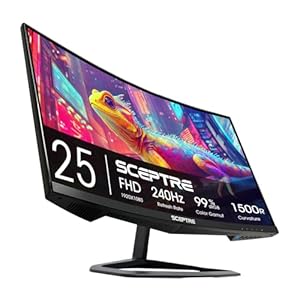
Sceptre Curved 24.5-inch Prime Gaming Monitor up to 240Hz 1080p R1500 1ms DisplayPort x2 HDMI x2 Blue Light Shift Build-in Speakers, Machine Black 2025 (C255B-FWT240 Series)

SANSUI 32-Inch Curved Gaming Monitor WQHD 2560 x 1440 180Hz Curved 1500R -Fast VA,1ms(OD), HDR, 300nits, sRGB 125%, DCI-P3 95%, FreeSync, HDMI x2, DP1.4×2(DP Cable Included)

Wireless Retro Gaming Console Built-in 20000+ Games and 23 Emulators, 2026 New Upgrade Plug & Play Retro Game Console Pro with 4K Output & Dual 2.4G Controllers, Games Nostalgic Stick for Gift (64GB)

SteelSeries Apex Pro TKL Gen 3 OmniPoint 3.0 HyperMagnetic Switches — Adjustable Actuation — Rapid Trigger — Game-Ready Presets — Protection Mode — Rapid Tap/SOCD — OLED — RGB — PBT Keycaps — USB-C